
1. The Auditing Protocol
Langkah 1: Akses Konteks Proyek
Masuk ke Dasbor MultiLipi Anda.
On the left sidebar, under the Terjemahan section, click on your current project to open its specific settings.
Step 2: Access the Routing Map
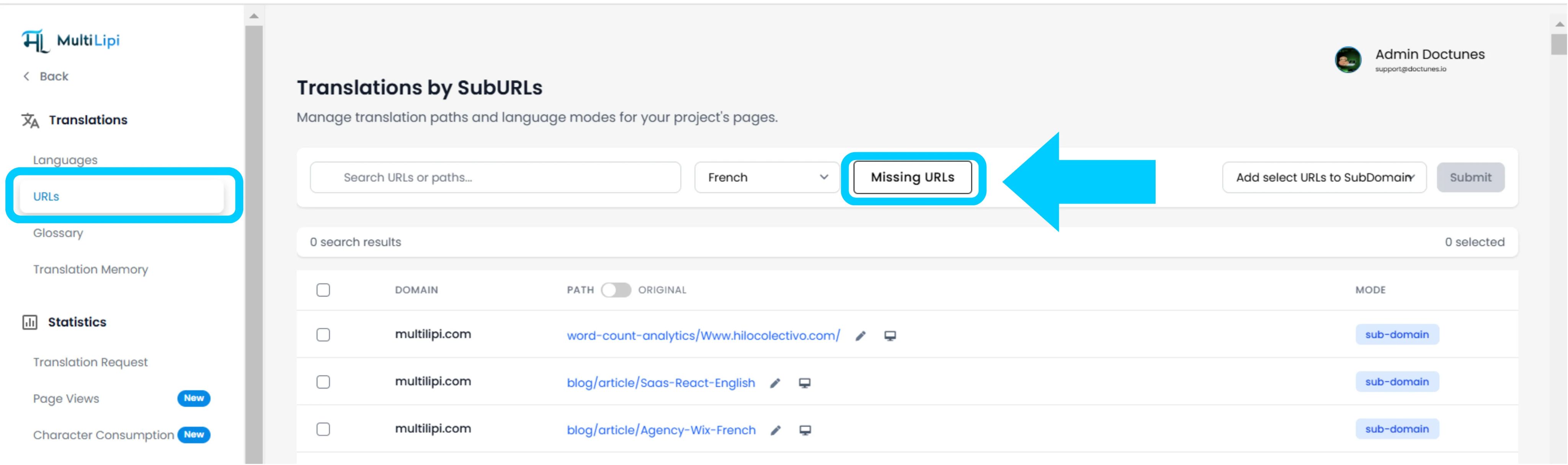
Inside the project view, click on the URL option in the sidebar.
Konteks: This panel displays the registry of all currently tracked and translated paths.
Step 3: Define Target Context
Locate the dropdown menu next to the search bar.
Tindakan: Select the specific language you wish to audit (e.g., French).
Logika: The system will now compare the Source (English) index against the French index.
Step 4: Execute Scan
Klik Missing URLs tombol.
Tindakan Sistem: The engine scans your source domain for valid paths that are absent from the current language map.
2. Ingestion & Synchronization
Audit Summary
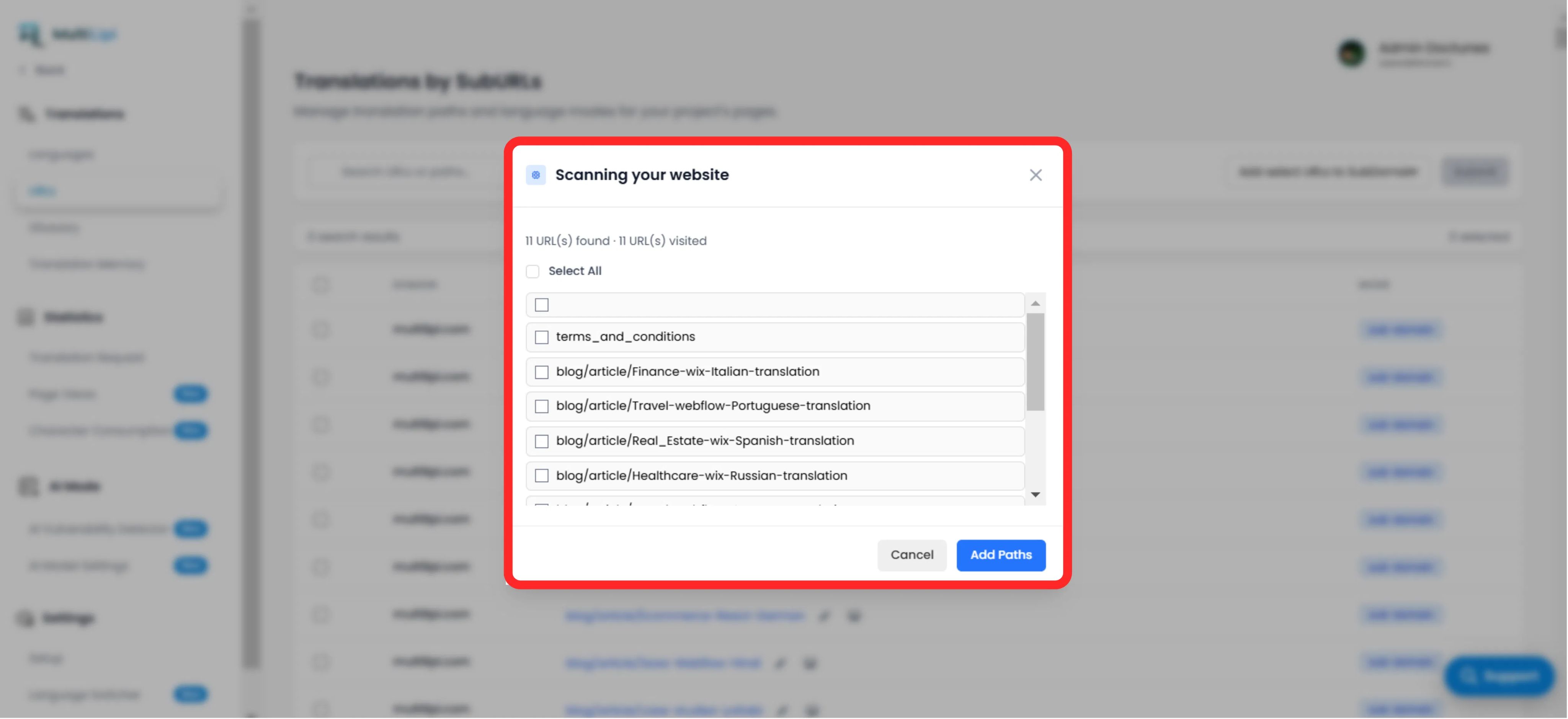
Displays the total number of untranslated paths found.
Path List
A granular list of every specific URL (e.g., /blog/new-feature) that is missing in the target language.
The Fix Protocol
Selection: Manually check the boxes for specific pages, or click "Select All" to synchronize the entire batch.
Komit: Click the "Add Paths" button.
Hasil: These URLs are immediately added to the translation queue. The system will now generate the localized versions and allow traffic to reach them.
3. Manfaat Strategis
SEO Coverage
Search engines cannot index pages that don't exist. Adding these URLs ensures Google indexes your entire site in French, not just the homepage.
Dead End Prevention
Ensures that if a user switches languages on a deep page, they are not thrown back to the homepage because the specific translation was missing.
Automated Discovery
Eliminates the need for manual spreadsheets to track which blog posts have been translated.
Tips Pro
After ingesting new paths, navigate to AI Mode > Vulnerability Detector to run an immediate SEO health check on these newly created pages to ensure they are optimized for launch.