

Lokalisasi perusahaan seringkali membutuhkan alur kerja offline. Baik Anda perlu mengirim 5.000 string ke tim hukum untuk ditinjau atau memigrasikan memori terjemahan lama dari sistem lain, MultiLipi menyediakan akses baca/tulis penuh ke data linguistik Anda.
Panduan ini mencakup protokol untuk Memasukkan Data Eksternal (Impor) dan Mengekstrak Memori Terjemahan (Ekspor).
Memasukkan Data (Protokol Impor)
Terbaik untuk: Pembaruan massal, migrasi dari platform lain, atau pemulihan cadangan.
Anda dapat menimpa atau memperbarui indeks terjemahan langsung Anda dengan mengunggah file terstruktur.
Langkah 1: Akses Lapisan Linguistik
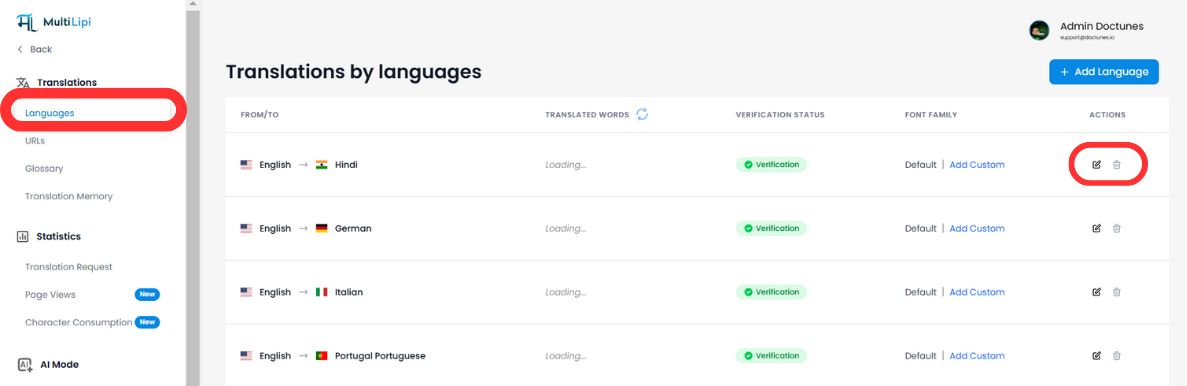
- Akses Dasbor MultiLipi Anda.
- Pilih Terjemahan > Bahasa dari bilah sisi.
- Temukan pasangan bahasa spesifik yang ingin Anda perbarui (misalnya, Inggris → Hindi).
- Klik Ikon Edit (pensil) untuk membuka Memori Terjemahan untuk lokal tersebut.
Langkah 2: Mulai Ingesti
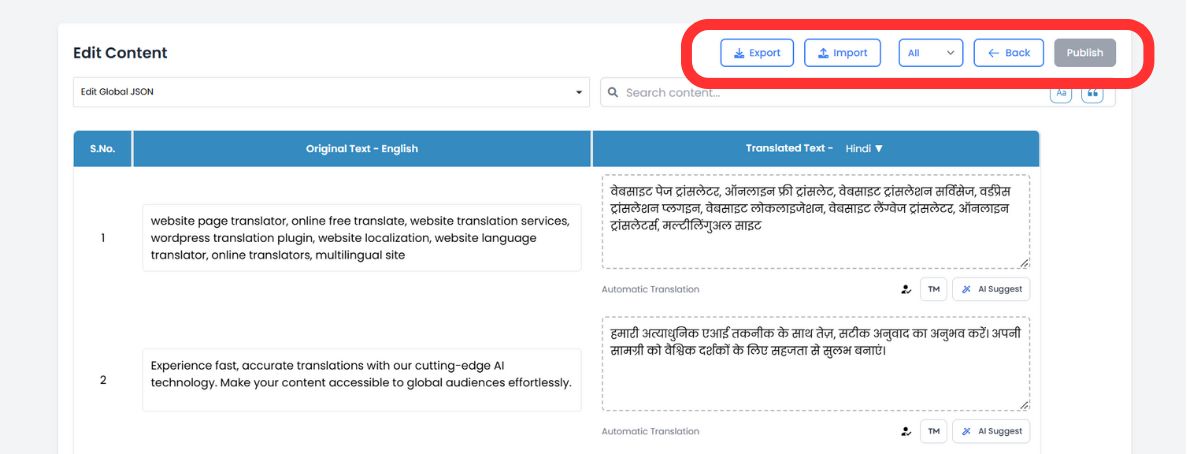
Di bilah alat editor bagian atas, klik Ikon Impor.
Langkah 3: Unggah & Konfigurasi
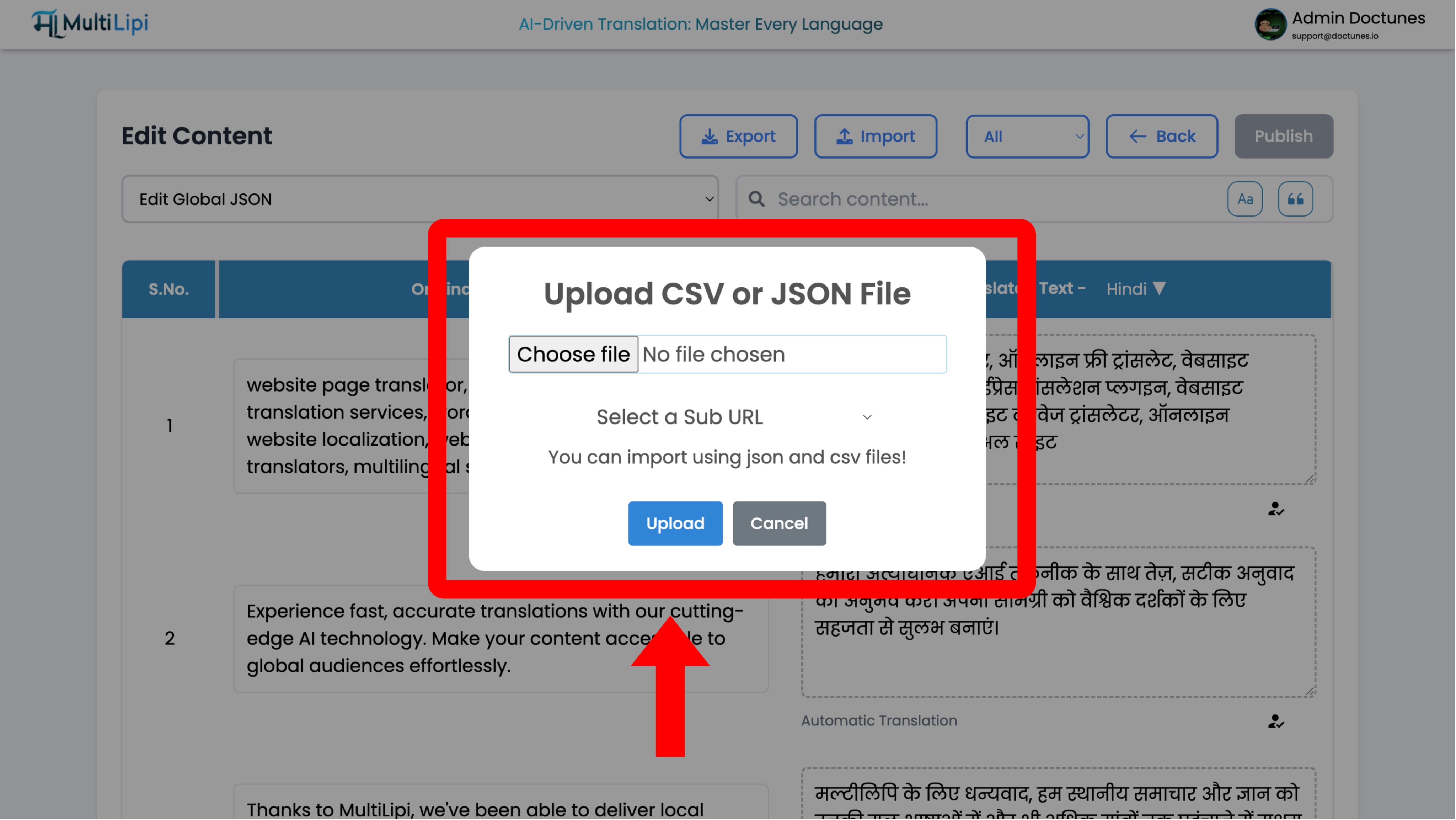
Modal konfigurasi akan muncul:
Pemilihan File
Unggah .csv or .json file.
Definisi Lingkup
- •Global: Terapkan terjemahan ini ke seluruh domain.
- •Terbatas: Gunakan dropdown "Sub URL" untuk menerapkan terjemahan ini hanya ke halaman tertentu (misalnya,
/pricing).
Eksekusi
Klik Unggah.
Tindakan Sistem
Sistem mengurai file dan langsung memperbarui memori terjemahan. Perubahan langsung menyebar ke jaringan tepi secara instan.
Mengekstrak Data (Protokol Ekspor)
Terbaik untuk: Audit offline, tinjauan manusia profesional, dan cadangan kepatuhan.
Anda memiliki data Anda. Anda dapat mengunduh seluruh memori terjemahan Anda kapan saja.
1. Akses Editor
Arahkan ke Editor Bahasa yang sama seperti yang digunakan di atas.
2. Eksekusi Ekstraksi
Klik Ikon Ekspor (di sebelah Impor).
3. Pemilihan Format
Pilih
.csv(untuk spreadsheet/Excel) atau.json(untuk pengembang).4. Hasil
Sistem menghasilkan file terstruktur yang berisi setiap string sumber dan terjemahannya saat ini.
Kasus Penggunaan Strategis
| Operasi | Skenario |
|---|---|
| Audit Offline | Ekspor halaman "Istilah Hukum" Anda ke CSV dan kirimkan ke departemen hukum Anda untuk pengeditan di Excel. Impor kembali file yang disetujui. |
| Tinjauan Profesional | Ekspor konten yang diterjemahkan secara otomatis, kirimkan ke penerjemah manusia bersertifikat, dan masukkan koreksi mereka secara massal. |
| Strategi Pencadangan | Lakukan ekspor mingguan untuk memelihara cadangan "penyimpanan dingin" lokal aset terjemahan Anda. |